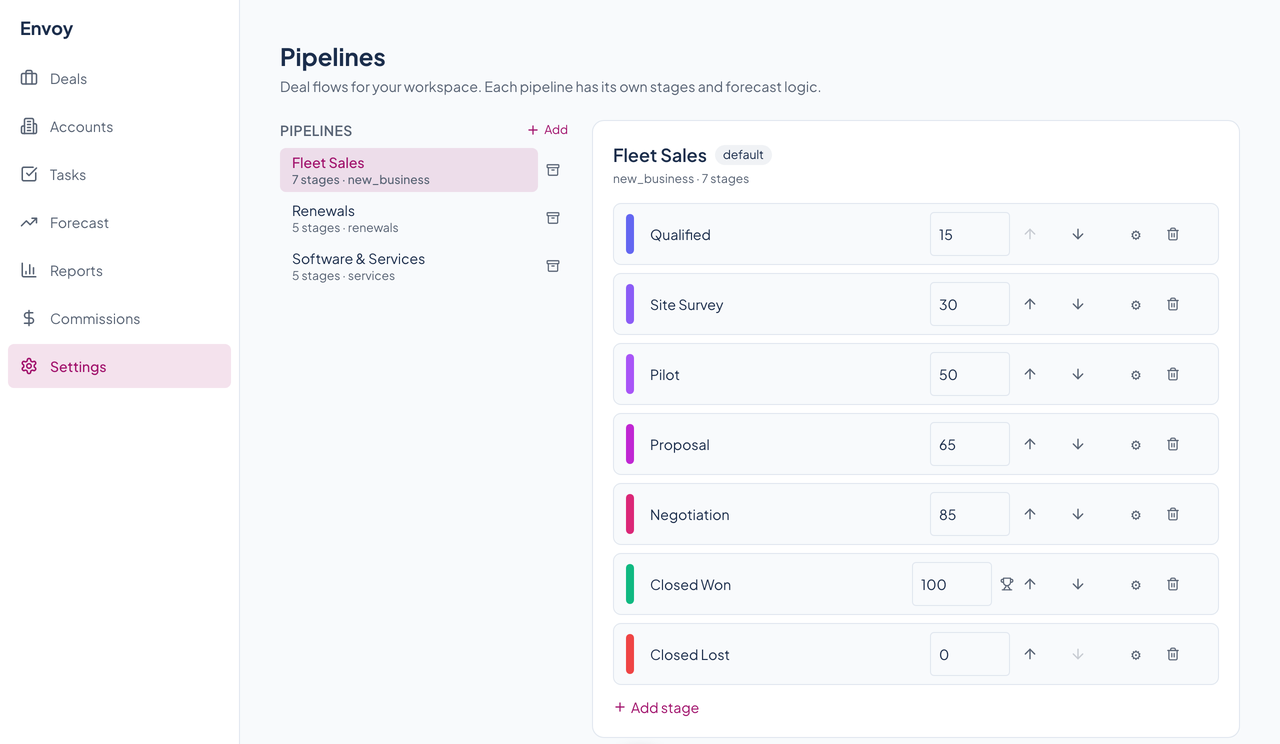
01Several pipelines, each with its own stages
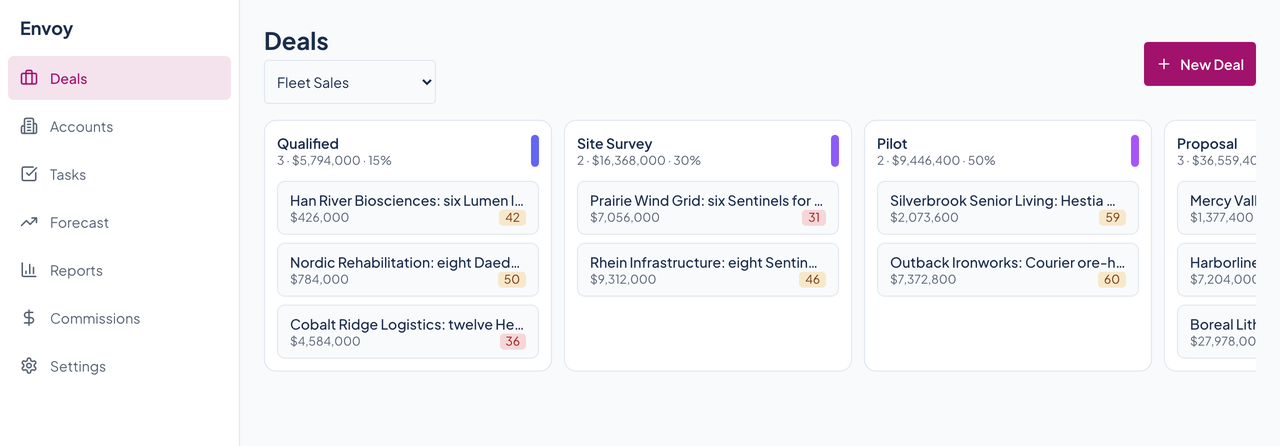
A pipeline is an ordered list of stages, each with a win probability. The demo workspace has three: Fleet Sales, Renewals, and Software and Services. Each column on the board shows how many deals it holds, their total value, and its probability.
02Drag a card to move it
Dropping a deal on another column changes its stage, and so does the Stage menu in the deal drawer. A stage can carry entry and exit criteria: a field that must be filled in, a contact role that must exist, a minimum amount, or an activity that must have happened. A hard criterion stops the move until someone types a reason, and a soft one only warns.
03A drawer for every deal
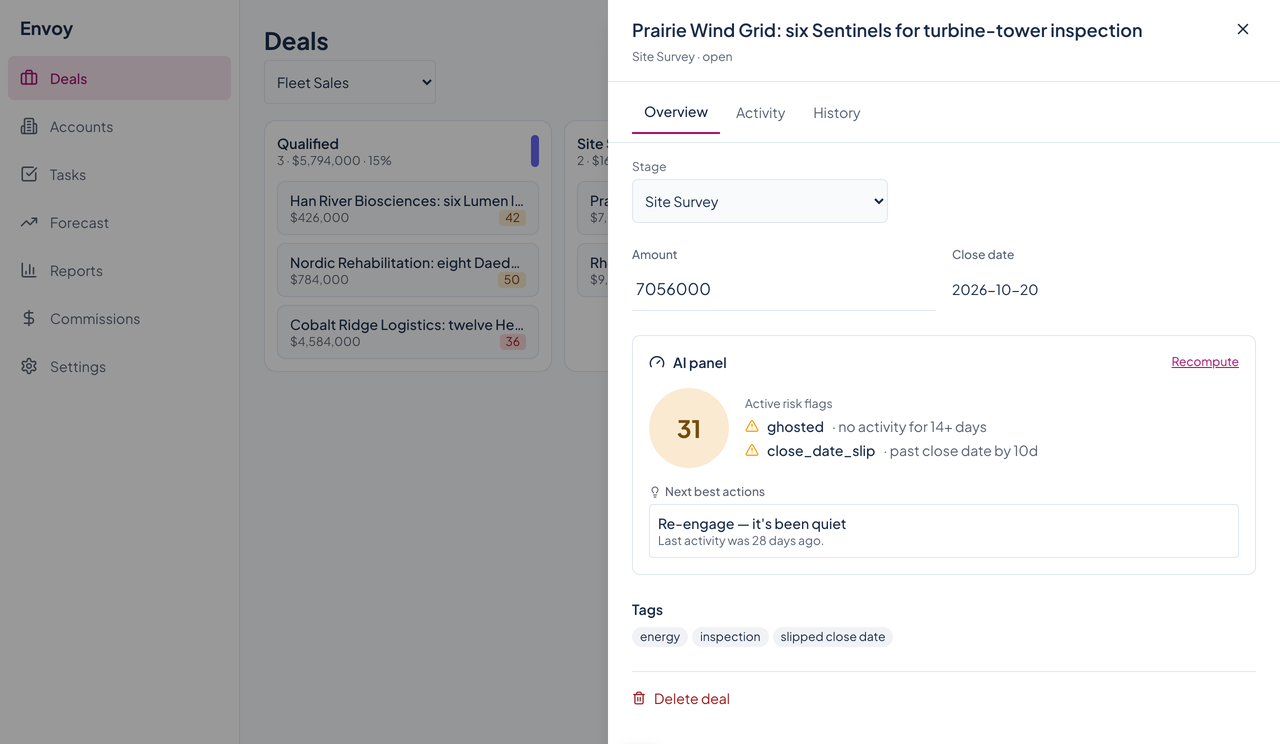
Click a card to open its drawer. Overview holds the name, amount, close date, tags, and the health panel. Activity is a timeline where you log notes and see emails, calls, and meetings. History lists what changed on the deal.
04Accounts and tasks beside the board
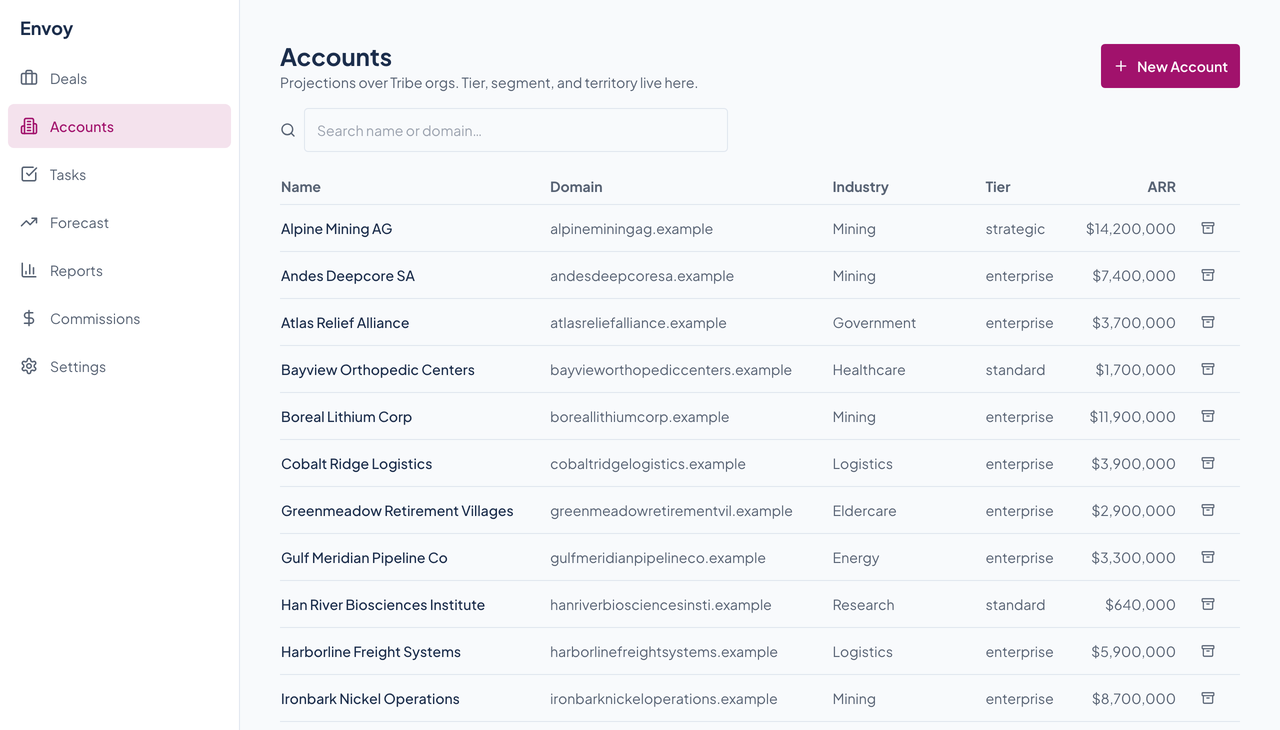
Accounts list name, domain, industry, tier, and ARR, with search and archive. Tasks is a plain to-do list with priorities and an open, done, or all filter.